

Managing a small business in the Saudi market requires more than just recording sales and expenses in scattered files or manual spreadsheets. As your business grows and your customer and invoice counts increase, a reliable accounting system for small businesses becomes an essential necessity to understand your true financial health, organize daily operations, and make data-driven decisions.
Whether you run an e-commerce store, a restaurant, a service firm, a clinic, a contracting company, or a startup, choosing the right online accounting system saves you time, minimizes human error, and provides a clearer view of revenues, expenses, profits, and cash flow.
In their early stages, businesses may only need a cloud accounting program for small businesses to handle core operations, while multi-department or multi-branch projects require an ERP accounting system to link accounts with sales, purchasing, inventory, and human resources.
At Sahltech, we help you design and develop an accounting system for your small business tailored to your specific activities and the Saudi market, with seamless integration for sales, inventory, invoicing, e-commerce stores, and mobile applications.
What is an Accounting System for Small Businesses?
An accounting system for small businesses is a digital software solution that helps business owners record, organize, and track financial transactions such as sales, purchases, expenses, revenues, invoices, payments, and accounts receivable/payable.
Instead of relying on paper ledgers or multiple Excel sheets, the accounting system consolidates financial data into a single platform, turning it into clear reports that help you continuously monitor business performance.
The system can take the form of an online accounting system accessible via mobile or computer, a local software installed on-premises, or an integrated ERP accounting system connecting all administrative and operational departments.
Businesses can also develop what is commonly sought as a unified accounting system, centralizing accounts, reporting, a unified chart of accounts, and data entry into a single master platform.
Core tools typically included:
Sales and purchase management.
Invoicing and quotation issuance.
Revenue and expense tracking.
Customer and vendor account management.
Inventory and product tracking.
Financial reporting.
Cash flow monitoring.
Tax and VAT management.
Staff permission controls.
POS and e-commerce integrations.
Financial dashboards for cash flow monitoring.
Integration with Saudi E-Invoicing (ZATCA).
Expense and revenue management systems for startups.
The primary goal of the system isn't just number entry—it's transforming financial data into actionable insights for management, planning, and growth.
The Importance of an Accounting System for Small Businesses
The importance of an accounting system grows with every new transaction or expanded service. Manual management may work initially, but over time it becomes a source of errors, delays, and tracking difficulties.
Organized Financial Operations: The system records and categorizes financial transactions logically, letting you pull up any invoice, payment, or expense in seconds. Expense and revenue management tools for startups help separate operational expenses from marketing and administrative costs, comparing each category to generated revenues.
Accurate Profit & Loss Tracking: A business might generate high sales without actual profit due to high costs or poor expense management. An accounting system compares revenues and expenses to reveal precise net profits.
Reduced Human Error: Repeated manual data entry leads to billing and balance errors. Automated systems minimize mistakes and verify transaction accuracy.
Cash Flow Monitoring: Track available funds, upcoming payables, and unpaid invoices to manage cash flow and avoid financial distress. A financial cash flow dashboard gives a clear view of incoming and outgoing funds alongside impending liabilities.
Time and Effort Savings: Instead of compiling manual end-of-month reports, the software generates instant, updated reports upon transaction entry.
Support for Expansion and Growth: Opening a new branch, adding product lines, or scaling your workforce requires an organized system to maintain management quality.
Need a custom accounting system tailored to your business needs? Contact Sahltech via WhatsApp at +966533879965, email support@sahltechit.com, or fill out the quick contact form on our website.
CTA
Features of a Small Business Accounting System
Choosing the correct system delivers key operational and administrative advantages:
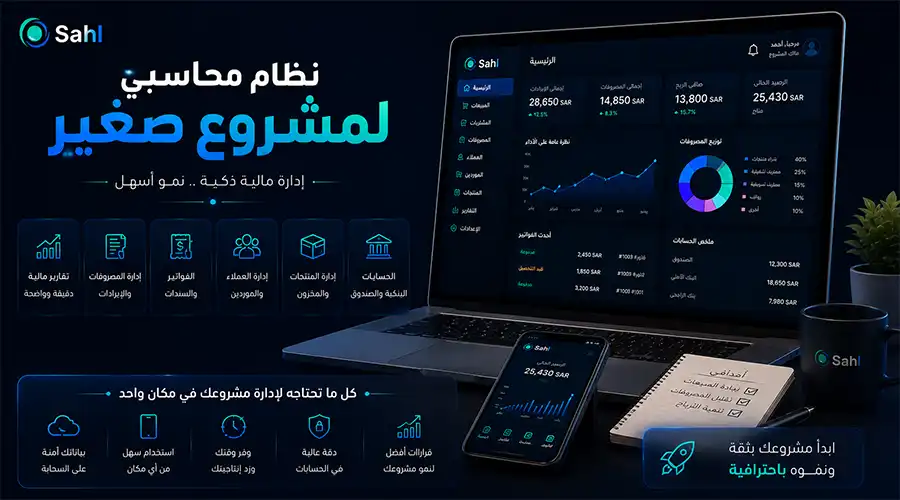
Clear Dashboard: Displays vital financial indicators like total sales, expenses, profits, pending invoices, and cash movement over specific periods. Specialized dashboards track available balances, outstanding invoices, and upcoming payments.
Rapid Invoicing: Create professional invoices with customer details, items, taxes, and discounts, then send them electronically. Integrating accounting with Saudi E-Invoicing ensures invoice data flows smoothly into accounts without duplicate entries.
Expense & Revenue Management: Record and categorize expenses (salaries, rent, marketing, shipping, purchases) and compare them against revenues.
Customer & Vendor Tracking: Keep track of customer balances, unpaid invoices, vendor payables, and payment due dates.
Instant Financial Reports: Access income statements, profit & loss reports, cash flow summaries, sales, expenses, and branch/product performance.
Inventory Management: Link your accounting system to inventory to automatically update quantities upon sale or purchase, triggering low-stock alerts.
User Permissions: Assign precise permissions so accountants access financial data while sales staff only view relevant tools.
Remote Access: Cloud accounting software lets business owners monitor finances and reports from any mobile device or computer at any time.
Implementation Steps for a Small Business Accounting System
Implementing a successful accounting system starts with studying your business operations rather than picking software at random:
Analyze Project Needs: Determine the nature of your business, employee count, branches, customers, products, and daily transaction volume.
Document Financial Workflows: Map how transactions move through the business—from order creation and invoicing to payment, delivery, revenue logging, and inventory updates.
Choose the Right System: Select between ready-made software, custom accounting platforms, or a unified system combining accounting, sales, inventory, and CRM.
Import Core Data: Input products, services, customers, vendors, accounts, opening balances, taxes, and payment methods.
Integrate Platforms: Connect the system with websites, e-commerce stores, mobile apps, POS terminals, payment gateways, shipping providers, CRM, and HR systems.
Test the System: Test invoicing, payment recording, inventory updates, reporting, and permissions to guarantee data accuracy.
Staff Training: Train employees on functions tied to their roles and establish clear data-entry protocols.
Monitoring & Development: Review performance post-launch and add improvements as the business grows.
With Sahltech, you get an accounting system built around your workflow rather than forcing you to change your procedures.
CTA
Cost of a Small Business Accounting System (2026)
Prices vary based on workload, required features, and development methods. Cloud-based software costs differ from custom-built enterprise platforms or on-premise installations. Key cost factors include:
System Type: Ready-made software typically relies on monthly or annual subscriptions, while custom solutions depend on feature requirements.
User Count: Team size and permission requirements impact system configuration.
Branch Count: Managing multiple branches and warehouses with consolidated and independent reporting (unified accounting systems) alters complexity.
Required Features: Basic invoicing/expense software costs less than an ERP system incorporating inventory, POS, HR, and CRM.
Integrations: Connecting e-commerce stores, mobile apps, payment gateways, shipping providers, and ZATCA e-invoicing requires custom API development and testing.
Support & Maintenance: Factor in hosting, updates, backups, technical support, and future enhancements.
Therefore, it is better to determine the budget after analyzing the project's needs, whether an electronic system for hospitals or others, rather than choosing the cheapest accounting system for a small project that may not support basic operations or cause a greater cost when expanding
CTA
Criteria for Choosing a Small Business Accounting System
Ease of Use: Clear interfaces requiring minimal technical training.
Activity Compatibility: Tailored features for your specific industry (restaurants, retail, services, contracting).
Scalability: Ability to scale users, branches, and features as you grow.
Report Quality: Comprehensible reports yielding actionable management insights.
Security & Data Protection: Built-in permissions, secure backups, data encryption, and audit logs.
Technical Support: Responsive support teams for day-to-day operations.
System Integrations: Seamless connectivity with websites, e-commerce, POS, and payment gateways.
Customization Flexibility: Ability to add custom fields, reports, or workflow steps.
Challenges in Implementing a Small Business Accounting System
Staff Resistance to Change: Overcome through training and demonstrating how the system simplifies tasks.
Inaccurate Legacy Data: Cleanse and review historical data before importing.
Choosing the Wrong System: Selecting popular software that doesn’t fit your actual workflow.
Insufficient Training: Ensuring staff understand proper system operation.
Improper Permissions: Avoiding overly broad access rights to protect sensitive data.
Lack of Expansion Planning: Choosing a restrictive system that requires replacement soon after growing.
Types of Accounting Software
Cloud vs. On-Premise Accounting Systems
For most small and medium businesses, cloud accounting software is the practical choice due to easy setup, low infrastructure costs, and remote accessibility.
How Accounting Systems Drive Financial Decisions
Beyond recording transactions, systems empower management by answering critical questions:
Which products or services are most profitable?
During which periods do sales peak or dip?
Which expenses need trimming?
Which customers are late on payments?
Which vendors drive the highest costs?
What are actual inventory replenishment needs?
Is liquidity sufficient to cover obligations?
Best Small Business Accounting System with Sahltech
The best system isn't the one with the most features—it's the one that matches your workflow and makes daily operations faster and more accurate.
At Sahltech, we build custom POS, CRM, and ERP solutions tailored for the Saudi market. We can design a small business accounting system featuring only the tools you need today, with full scalability for the future.
Solutions we develop include:
General ledger, revenue, and expense management.
Invoicing and quotations.
Customer and vendor management.
Receivables and debt collection.
Inventory and warehouse control.
POS integration.
Website and e-commerce store integration.
Mobile app connectivity.
Custom ERP development.
Unified multi-branch accounting platforms.
Cloud accounting software deployment.
User-friendly online accounting interfaces.
Saudi E-Invoicing (ZATCA) integration.
Financial cash flow dashboards.
Startup accounting setup from analysis to launch.
Ready to get started? Contact us today at WhatsApp: +966533879965, email: support@sahltechit.com, or fill out the quick contact form on our website to discuss your project needs with the Sahltech team.
CTA